Muslims Hub app icon Coming soon

Muslims Hub

The Quran, your prayers, the Qibla and the Hijri calendar — in one app that works without a signal, without an account, and without watching you.

Coming soon to theApp Store Coming soon toGoogle Play
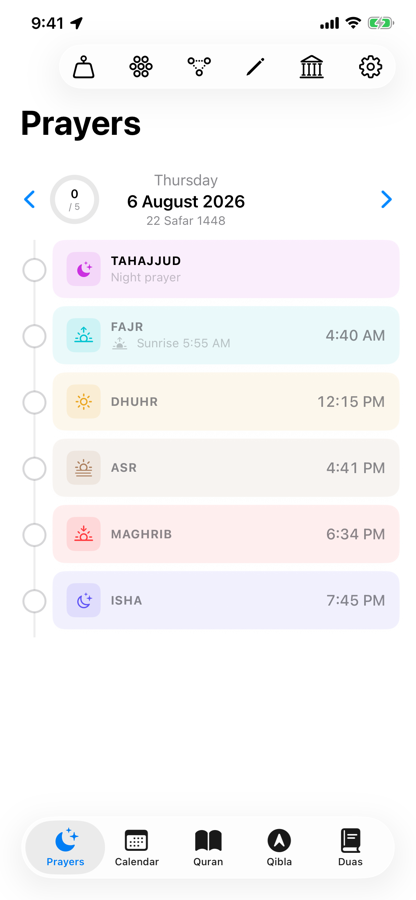
Prayer timeline showing the day's prayers
Your day, as a timeline
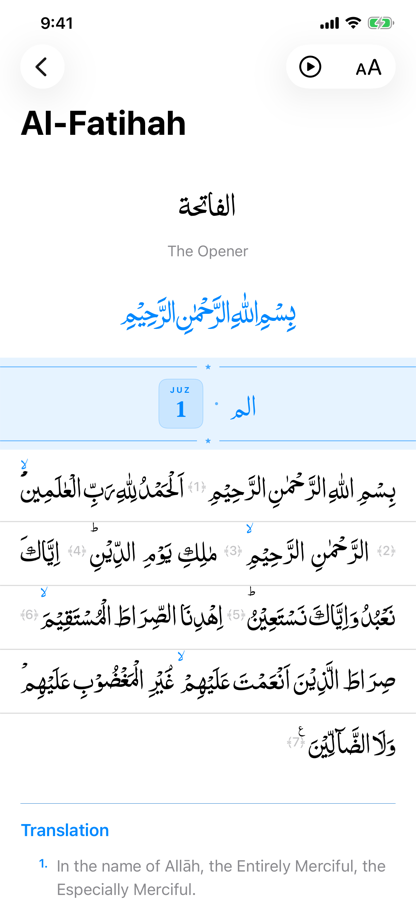
Quran reader showing Al-Fatihah in Arabic with English translation
The Quran, beautifully set
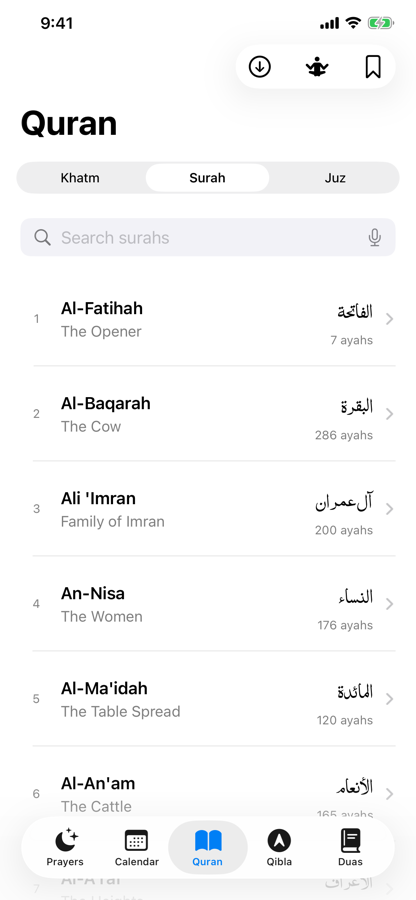
Searchable list of all 114 surahs
All 114 surahs
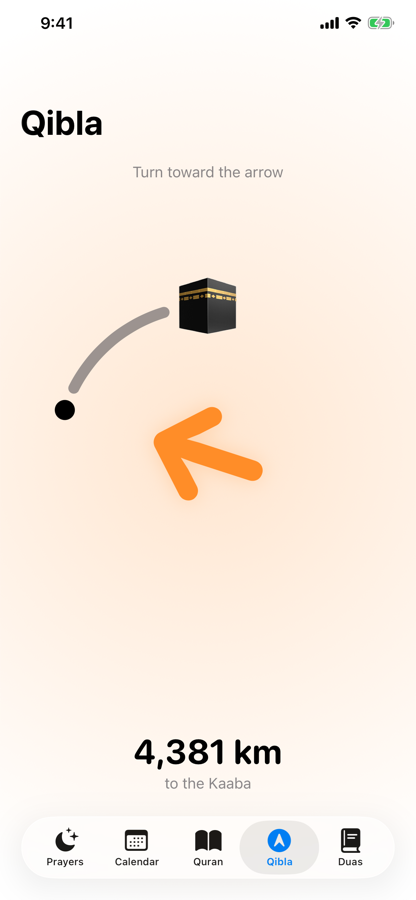
Qibla compass pointing toward the Kaaba
Qibla, anywhere
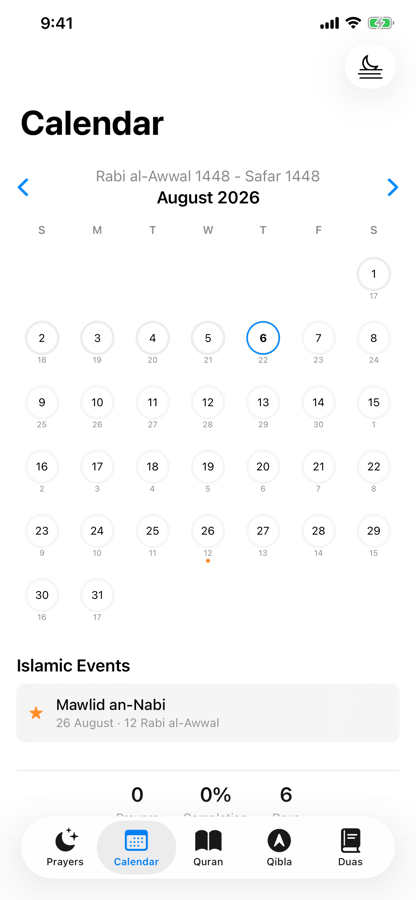
Hijri calendar for August 2026
Hijri calendar, offline
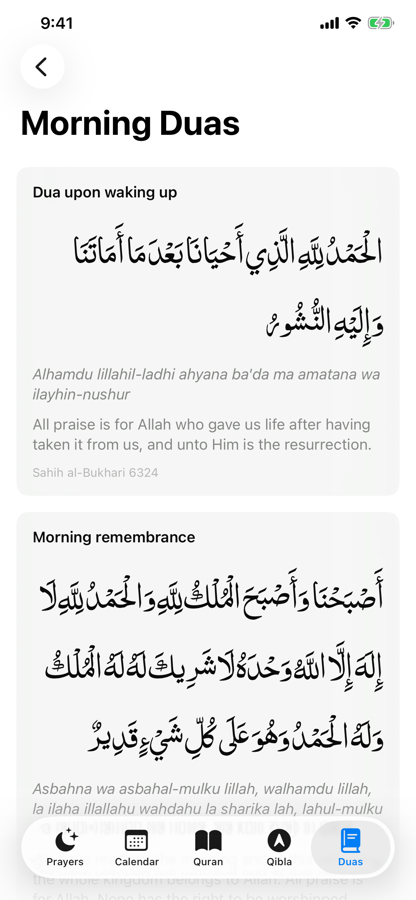
Morning duas with Arabic, transliteration and translation
Duas with sources
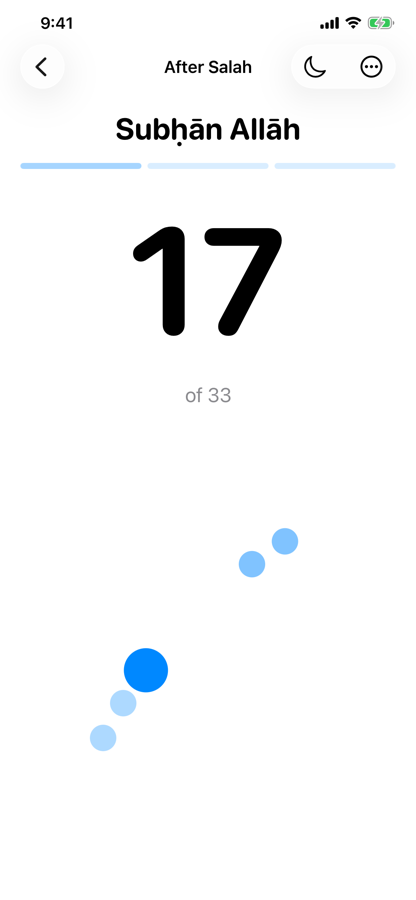
Tasbih counter at 17 of 33
Tasbih with haptics

Swipe to see more →

Everything inside

Ten years of practice, in one app

Each part built properly, rather than a long feature list built thinly.

The Quran

The complete Quran in Uthmani and IndoPak script, set in three authentic typefaces — Amiri Quran, KFGQPC Hafs Uthmanic and PDMS Saleem. Read the Arabic alone, or alongside English, Urdu or Tamil translation. Turn on transliteration if you are still learning the script, or make it the main text while you build fluency.

  • Continuous mushaf-style reading, or one ayah at a time
  • Parchment, Sepia and Night themes; adjustable font size and line spacing
  • Browse by Surah or by Juz, with Juz boundary markers inline
  • Bookmark any ayah; the app remembers where you stopped
  • Find every Sajda verse in one list
  • Track a Khatm from start to finish, surah by surah or juz by juz

Recitation audio

Listen while you read. The current ayah highlights and the page scrolls itself, so you never lose your place. Play a single ayah, or let a whole surah run.

  • Adjustable playback speed from 0.5× to 2×
  • Download surahs for offline listening and manage your storage
  • Keeps playing in the background, with Lock Screen and Dynamic Island controls

Prayer times

Accurate times for Fajr, Sunrise, Dhuhr, Asr, Maghrib and Isha for wherever you are. Choose the calculation method your community follows — ISNA, Muslim World League, Egyptian, Karachi and others — or skip calculation entirely and import your local masjid's own timetable, jamaat times included.

  • Your day laid out as a timeline, with the current prayer centred when you open it
  • Add your own activities between prayers — Quran reading, dhikr, exercise — and check them off
  • Link an activity to a surah, a dua collection or a tasbih set so it opens in one tap
  • Tahajjud, Jumma and Taraweeh slots included
  • Adhan alarms with selectable tones

Qibla compass

Find the direction of the Kaaba from anywhere on earth, using your device's compass and GPS. A single clear arrow, the distance to Makkah, and a haptic nudge when you are lined up — nothing else on screen to get in the way.

Islamic calendar

A full Hijri calendar using the Umm al-Qura calculation, computed on your device with no network call. Hijri and Gregorian dates side by side, with the month's significant days marked.

  • Tap any marked day to read what happened on it, written as a story rather than a fact sheet
  • Ashura, Mawlid an-Nabi, Isra and Mi'raj, Mid-Sha'ban, Laylat al-Qadr, both Eids, the Day of Arafah
  • Where scholars differ, the difference is stated plainly, with sources cited
  • Your prayer completion history, by week and by month

Ramadan timetable

Sehri and Iftar times for every day of Ramadan, derived from your own Fajr and Maghrib times. Available all year round rather than only during the month, and past years stay viewable.

Duas

More than eighty authentic duas across sixteen categories — morning, evening, sleep, wudu, prayer, the mosque, travel, meals, the home, distress, forgiveness and more.

  • Arabic in your chosen Quran typeface, with transliteration and English translation
  • Every dua carries its reference — Sahih al-Bukhari, Sahih Muslim, Jami' at-Tirmidhi and others

Tasbih

A counter built for actual dhikr rather than a generic tally. Multi-step sets move you through Subhan Allah, Alhamdulillah and Allahu Akbar automatically.

  • Graduated haptics: the last three counts before each target ramp up, so you can keep your eyes closed
  • Create your own sets and share them as a plain text code — no account, works across platforms
  • Counts tracked per prayer when a set is linked to your timeline

Learn Arabic

Start reading Quranic Arabic from nothing. Structured lessons cover the letters and their connected forms, harakat, sukoon, madd, tanween, shaddah, the special vowels, silent letters and the rules of stopping.

  • Multiple-choice quizzes on every lesson
  • Shadowing practice — hear it, record yourself, compare, all on your device

Zakat calculator

Work out what you owe. Add gold, silver, cash, investments and business assets, deduct outstanding debts, and the app computes the Nisab threshold and your payable Zakat. Past calculations are kept so you can see year on year.

Privacy

What leaves your phone

The short version, stated plainly. The full policy has the detail.

No account

There is nothing to sign up for. Open the app and everything works.

No analytics

Zero third-party SDKs. No advertising identifier, no crash reporter, no trackers.

Nothing to sell

Your bookmarks, prayer logs and Zakat figures never leave your device.

Two things do use the network, and we would rather say so than hide it. Your coordinates are sent to the Aladhan API to calculate prayer times for your location — that request carries nothing that identifies you, and no server of ours is involved. Recitation audio streams from a public Quran audio archive when you play it, and can be downloaded so it never streams again. Everything else — the Quran text, translations, duas, the calendar — is bundled in the app and works with the network off.

Questions

Frequently asked

Is it free?

Yes. Free to download, with no subscriptions, no in-app purchases and no ads. There is no paid tier holding features back.

Does it work without internet?

Almost entirely. The Quran, all translations, transliterations, duas, the Hijri calendar and the Arabic lessons are bundled inside the app. Prayer-time calculation needs the network the first time for a given day and location, then it is cached. Recitation audio streams unless you download it first.

Why does it ask for my location?

To calculate prayer times for where you actually are, and to point the Qibla arrow. If you decline, the app tells you what it needs and keeps working — you can import a masjid timetable instead and skip location entirely.

Why does it ask for the microphone?

Two optional things: voice search in the surah list, and the shadowing practice screen where you record yourself and play it back. Audio is processed on your device using Apple's on-device Speech framework. Nothing is uploaded, and nothing is stored beyond the recording you just made.

Which translations are included?

English (Sahih International), Urdu and Tamil, plus English and Tamil transliteration. All are bundled and load on demand, so the app stays small.

Can I use my masjid's prayer times instead of a calculation?

Yes. Import your masjid's timetable and the app uses those exact times, including jamaat times, rather than computing its own.

Is my data backed up or synced between devices?

Not yet. Everything is stored locally on the device. Your bookmarks, prayer logs and Zakat history live in the app's own storage and are included in your device backup, but there is no account-based sync between devices today.

What do you do with my data?

Nothing, because we never receive it. We operate no servers and hold no user data of any kind.

Coming soon to iOS and Android

Want to know when it lands? Send a note and we will tell you.